Midjourney v7 Hands-On: Depth Mapping and Text Rendering
Midjourney v7 Alpha Review: Depth-Mapping and Text Rendering Tested
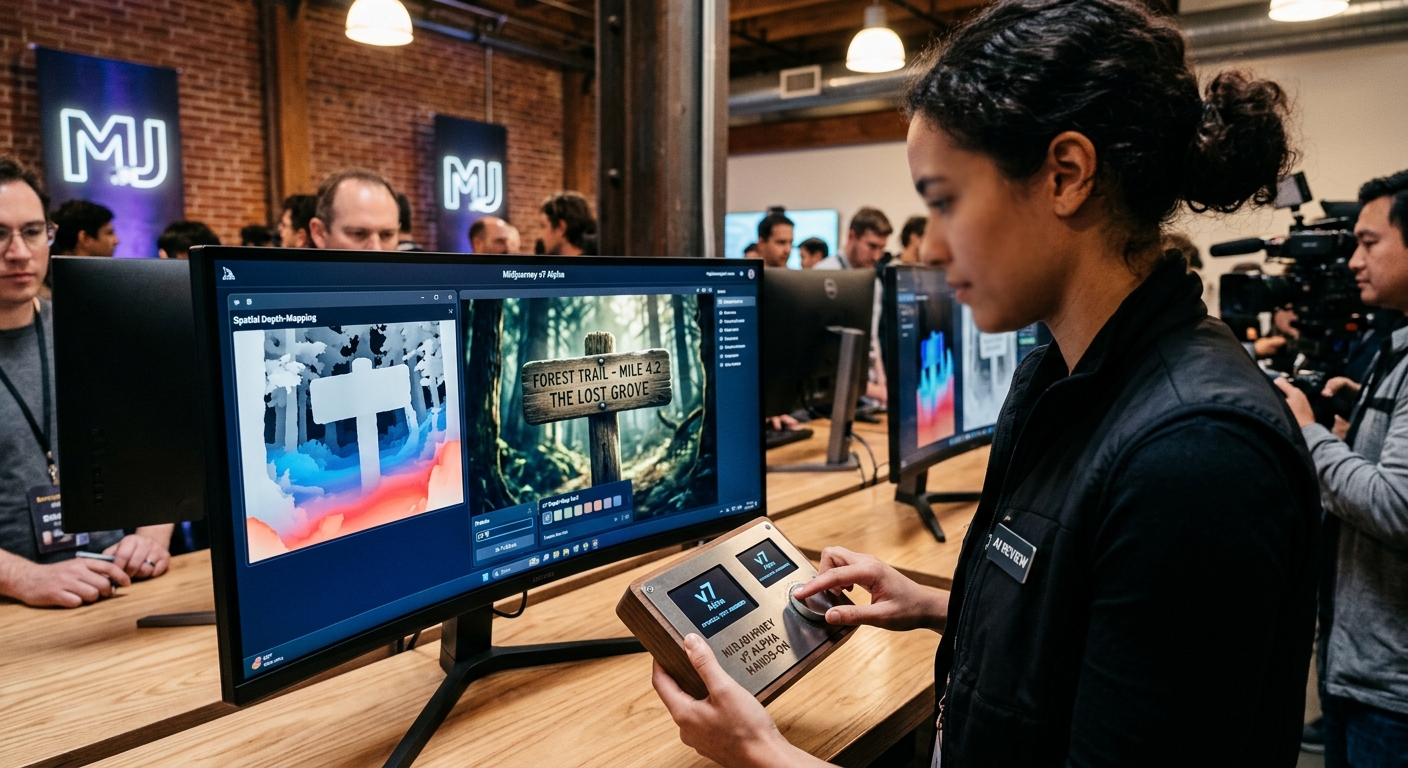
Midjourney v7 is now in closed alpha, bringing native 3D depth-mapping and physically realistic text rendering to the platform. Based on hands-on testing, the model is a major leap in spatial consistency and text accuracy — but render times are slower and the signature "cinematic sheen" persists. Here's what actually changed, how to use it, and where it still falls short.
---
What's Actually New in Midjourney v7?
Midjourney has historically been a black box. You throw a prompt at it, and it returns something beautiful but highly unpredictable. Version 7 aims to change that by introducing structured spatial controls.
True 3D Depth-Mapping (The /depth Parameter)
In v6, generating a consistent scene from different angles was frustrating. Version 7 introduces native depth-mapping. By appending --depth [strength] to your prompt, you can lock the geometry of a generated room or object and swap out textures, lighting, or characters without warping the physical layout. It feels closer to rendering in Blender than typing in a chatbox.
Physical Text Rendering
We've had text rendering since late v5, but it always felt pasted on top of the image like a cheap Photoshop layer. Version 7 treats text as a physical object. If you write a prompt for a "neon sign reflecting in a wet asphalt road," the text on the sign actually reverses and distorts realistically in the puddles. Letters now cast shadows, catch edge lighting, and bend around curved surfaces.
Multi-View Character Consistency
The long-promised native character consistency model (--cref) has been completely overhauled. Instead of just trying to match facial features, v7 maps the skeletal structure of your subject. This means you can generate the exact same character in a full sprint, sitting down, or viewed from a high bird's-eye angle while maintaining precise wardrobe and facial proportions.
---
Real-World Use Cases: Testing the Limits
To see if v7 is actually ready for production pipelines, we ran three specific stress tests.
Test 1: Technical Orthographic Blueprints
- The Prompt:
/imagine an orthographic blueprint of a retro-futuristic mechanical watch, exploded view, highly detailed vector lines, text labels pointing to "escapement" and "mainspring" --v 7 - The Result: Previous versions would produce gorgeous but mechanically nonsense gibberish text. Version 7 successfully placed the text labels with precise leader lines. While the inner gears weren't physically functional, the layout looked clean enough to pass as actual concept art for a game or industrial design pitch.
Test 2: The Reflection Test
- The Prompt:
/imagine a close-up shot of a vintage typewriter on a dark wooden desk. The paper in the roller has the word "REDACTED" typed on it. A green desk lamp casts a harsh shadow across the desk. --v 7 - The Result: The letters "REDACTED" actually looked pressed into the paper fiber. The ink bleeding at the edges of the stamp was incredibly realistic, and the lamp's light cast a physically accurate shadow behind the metallic arms of the typewriter.
---
Hard Limitations: Where v7 Still Errs
It's not all perfect. This is still an alpha, and some of Midjourney's oldest quirks are still present.
- The "Midjourney Sheen" Persists: Even with
--style raw, v7 still has a tendency to make things look slightly too perfect, clean, and cinematic. Getting it to produce a truly gritty, low-quality smartphone photo still requires aggressive negative prompting. - VRAM and Latency Spikes: Generating a v7 image currently takes roughly 40% longer than a v6 render. During peak hours, we saw generation times climb past 90 seconds for a single grid.
- Complex Anatomy Under Extreme Angles: While skeletal mapping is a massive step forward, it still struggles when you combine extreme camera angles with complex physical actions. A character performing a backflip from a low-angle shot still occasionally results in extra limbs or twisted joints.
---
The Verdict: Should You Switch Your Pipeline?
If you are a concept artist, UI designer, or storyboarding director, Midjourney v7's depth-mapping and text rendering are worth the upgrade immediately. The ability to control spatial layout without fighting the prompt parser is a massive workflow improvement.
For casual creators, the increased render times and the current alpha invite-only gate mean you are probably fine sticking with v6 for another month or two. But the gap between pure 2D generation and 3D spatial awareness is closing fast — and v7 is the clearest proof yet.