Grok Imagine Video 1.5 Review: 86% Cheaper Than Sora 2
On June 16, 2026, xAI moved Grok Imagine Video 1.5 out of preview and into full general availability. It turns a still image into a 15-second video with synchronized sound, and it costs about 86% less than Sora 2 Pro. If you want to animate a photo without a production budget, this is one of the most practical options released this year.
What Grok Imagine Video 1.5 Does
Grok Imagine Video 1.5 is xAI's image-to-video generator. Upload a still image, add a text prompt describing the motion you want, and the model returns a video clip of up to 15 seconds. You can render at 480p for quick drafts or 720p for higher quality. It is available through the Imagine API for developers, on grok.com in the browser, and inside the Grok apps for iOS and Android.
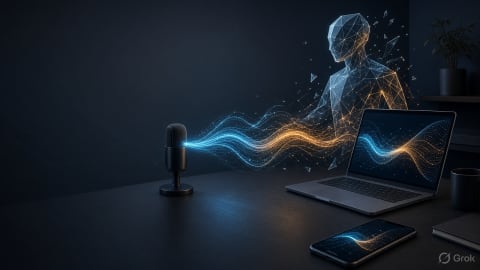
The key differentiator is audio. Grok generates synchronized sound in the same pass as the video. Sound effects, ambient background, and dialogue all land on the action on screen. Most image-to-video tools require you to add audio afterward, which means extra steps and potential mismatches.
What's New in Version 1.5
The 1.5 release improves two things that make or break a generated clip:
- Better audio sync and clarity. Speech is easier to understand, and sound effects, ambience, and dialogue line up more accurately with on-screen action.
- Improved motion consistency. Earlier image-to-video models tend to warp faces, objects, and backgrounds as a clip plays. Version 1.5 reduces those warps and gives moving objects a more believable sense of weight and momentum across the full clip.
Neither change alone is flashy. Together they fix the most common reasons a generated clip looks "off" and ends up unusable.
Generation Speed
A new "Fast" mode roughly doubles generation speed. A 6-second clip at 720p now renders in about 25 seconds, down from 40 seconds or more. When you are testing multiple prompts to find the right motion, that difference compounds quickly over a working session.
Workflow Tools
The release adds features designed for ongoing projects, not just one-off experiments:
- Projects: organize related work in a left sidebar instead of scrolling through a flat history.
- Parallel agents: run multiple generations at once instead of waiting for each one to finish.
- Library search: find any image or video you have made by searching your library directly.
Pricing vs. Sora 2 Pro
Price is where Grok Imagine Video 1.5 makes its strongest case. It ranked number one on a public image-to-video leaderboard at roughly $4.20 per minute of generated video, about 86% below Sora 2 Pro. For anyone producing video at scale, that gap is the difference between an occasional test and a tool you can fold into a regular workflow.
Treat leaderboard rankings as a useful signal rather than a guarantee. Results depend on your source images and prompts. But a top ranking paired with a price well under the best-known competitor is a combination worth serious consideration.
Who Should Use It
The tool fits anyone who already has strong still images and wants to bring them to life without a video production budget.
- Marketers and small business owners turning product photos or brand visuals into short social clips and ads.
- Content creators adding motion and sound to images for reels, shorts, and other short-form video.
- Developers building image-to-video into their own products through the Imagine API.
- Anyone curious who simply wants to animate a photo and hear it come to life with matching audio.
It is less suited for full long-form video since clips top out at 15 seconds, and for projects demanding the highest possible resolution since 720p is the ceiling here. For short punchy clips with sound, those limits rarely get in the way.
The Takeaway
Grok Imagine Video 1.5 is a focused image-to-video tool that does a few things well: it animates a still image, generates matching audio in the same pass, runs fast with its new mode, and costs a fraction of the best-known alternative. If you produce short-form video and have good source images, it is worth a real test before committing to a more expensive option.
Frequently Asked Questions
How long can the videos be, and what resolution?
Clips run up to 15 seconds and render at either 480p or 720p. Use 480p for fast drafts and 720p for higher-quality final results.
Does it really generate audio too?
Yes. Sound effects, ambient audio, and dialogue are generated in the same pass as the video and synced to the on-screen action. No separate audio step required.
Where can I use it?
Through the Imagine API, on grok.com in your browser, and in the Grok apps for iOS and Android. Works from desktop or mobile.
Written by
Co-founder of Tool Directory AI. Tests and reviews the AI tools listed here.