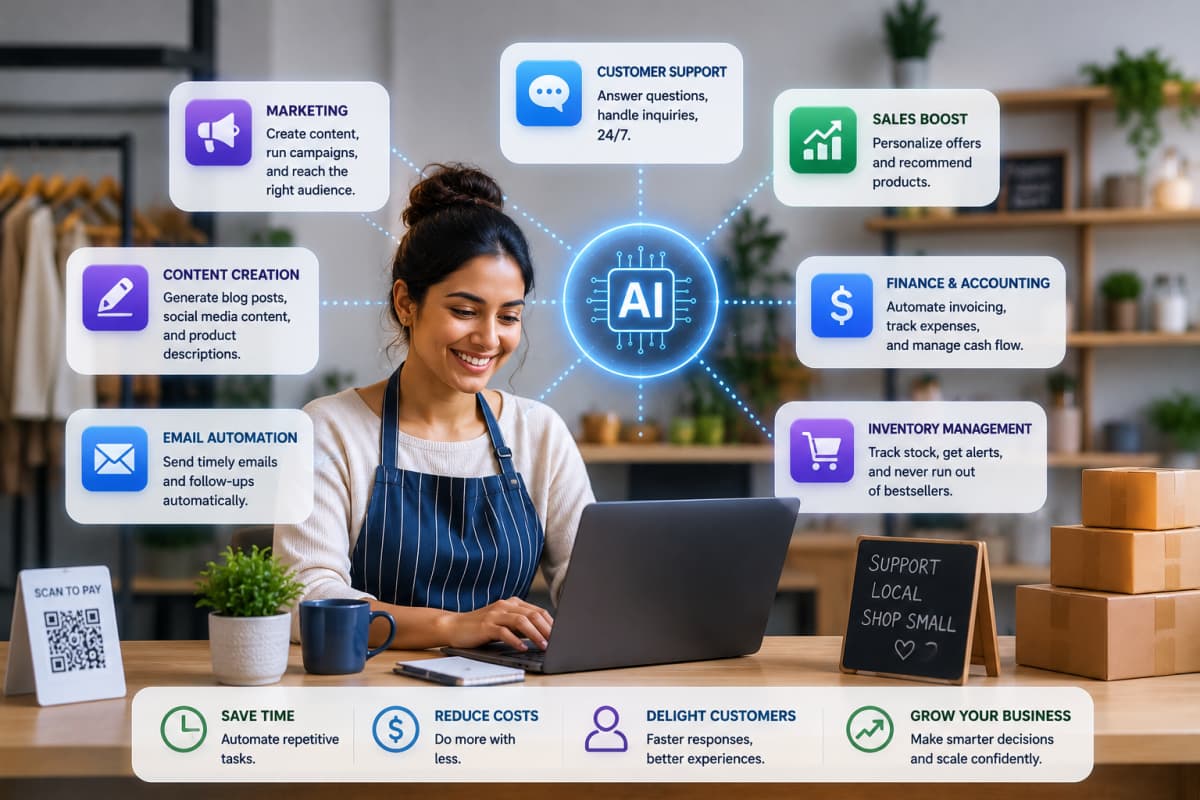
AI for Small Business: 5 Low-Cost Wins
Small businesses can benefit from AI right now, even without a big budget or tech team. The tools are already built into software you likely use daily, and they handle time-consuming tasks like answering questions, organizing books, and drafting content so you can focus on growth.
This guide shows exactly where AI delivers quick value for small teams, how to start with one task at a time, and how to keep costs sensible while you learn what actually works.
Why Small Teams Benefit Most From AI
In a small business, everyone wears several hats. The owner is often also the marketer, the bookkeeper, the support desk, and the scheduler. That is exactly the situation AI is good at improving.
A large company might use AI to squeeze out a few percentage points of efficiency. A small business can use the same tools to take entire tasks off a person's plate, like answering routine questions, drafting content, or organizing the books. The relative impact is much bigger when you are a team of one to ten than when you are a team of a thousand.
The 5 Low-Cost Wins to Start With
You do not need a grand strategy. Pick the area that drains the most of your time and start there. Here are the most reliable places to find quick value.
1. Customer Support
An AI chatbot or assistant can answer your most common questions around the clock, including hours, pricing, shipping, and how-to questions. It handles the easy 80 percent and passes anything complex to you. This means fewer repetitive replies and faster answers for customers, even when you are closed.
2. Bookkeeping and Admin Help
Many accounting tools now use AI to categorize transactions, flag unusual charges, match receipts, and summarize where your money is going. You still want a human or accountant to review the important stuff, but the tedious sorting gets much faster.
3. Content and Marketing
Writing is a constant drain for small teams. AI can draft social posts, email newsletters, product descriptions, and blog outlines in minutes. Treat the output as a strong first draft, edit it to sound like you, then publish. It also helps generate images and ad variations cheaply.
4. Scheduling and Coordination
AI scheduling tools can handle booking, send reminders, reduce no-shows, and find meeting times without the back-and-forth. For appointment-based businesses, this alone can save hours every week.
5. Marketing Targeting
Even basic AI features inside email and ad platforms can suggest send times, segment your list, and recommend who to follow up with. You get smarter marketing without needing a specialist on staff.
How to Start Small Without Overwhelm
The biggest mistake is trying to adopt everything at once. A calmer, more effective approach:
- Pick one painful task. Choose the thing you dread or that eats the most time. That is your first project.
- Try one tool for a week. Use it on real work, not a test case. See whether it genuinely saves you time.
- Keep a human in the loop. Review AI output before it goes to customers or into your books. Trust grows with track record.
- Measure the time saved. If a tool saves a few hours a week, it is earning its keep. If it does not, drop it and try another.
- Then add the next one. Once a workflow is steady, move to the next painful task.
Layer by layer, you build a set of small automations that quietly handle work in the background.
Thinking About Budget
You can start for very little. Many AI tools offer free tiers, and a lot of software you already pay for, like your email platform, accounting app, or website builder, now includes AI features at no extra cost. Turn those on first.
When you do pay, think in terms of return. A tool that costs a modest monthly fee but saves you five hours a week is a clear win. Set a small monthly budget for experiments, try one or two paid tools at a time, and cancel anything that is not pulling its weight. Avoid signing long annual contracts before you know a tool fits your workflow.
Three Rules to Avoid Overwhelm
There are thousands of AI tools, and new ones launch daily. You do not need to keep up with all of them. Follow these grounding rules:
- Solve one real problem at a time. Ignore everything that is not your current focus.
- Favor tools built into software you already use over learning a brand-new platform.
- Do not automate something you have not done manually first. You need to know what good output looks like.
- Protect customer data. Read what a tool does with your information before you feed it anything sensitive.
Progress comes from a few working automations, not from chasing every new release.
Frequently Asked Questions
Do I need technical skills to use AI in my business?
For most small-business tools, no. Modern AI tools are designed to be used in plain language, the way you would ask a person. If you can describe what you want, you can usually get a useful result. Start with simple tasks and your comfort grows quickly.
How much should a small business spend on AI?
Start with free tiers and the AI features already inside your existing software. When you add paid tools, keep it to a small monthly budget and only keep what clearly saves you time or money. There is no need for a big upfront investment.
Is it safe to put my business data into AI tools?
It depends on the tool. Reputable providers explain how they handle and protect your data, so read those terms before sharing anything sensitive like customer or financial details. When in doubt, use anonymized examples and avoid pasting private information.
The Takeaway
You do not need a big team or budget to benefit from AI. Pick one time-consuming task, try one tool, keep a human in the loop, and expand only once each step is working. Small, steady wins add up to a business that runs lighter and leaves you more time for the work that actually grows it.
Written by
Co-founder of Tool Directory AI. Tests and reviews the AI tools listed here.