AI for Beginners: A Practical No-Code Roadmap
You don't need coding skills to start using AI effectively. The only real prerequisite is a genuine problem you want to solve. Here is the fastest, simplest path from zero to confident AI user.
Artificial intelligence has gone from a research-lab curiosity to something you can use from your phone in a single afternoon. The hard part is no longer access. It is knowing where to start, what to ignore, and how to build real skill without getting lost in the noise.
This roadmap gives you a clear sequence of steps, and the willingness to experiment. Follow it and within a month you will be using AI more effectively than most people who have been dabbling for a year.
Start With One Real Problem
The most common beginner mistake is collecting AI tools like trading cards. You sign up for ten apps, try each one for five minutes, and remember none of them. A better approach is to pick a single, real problem you already have.
Maybe you write a lot of emails. Maybe you summarize long documents, draft social posts, or sketch out ideas. Choose one task you do every week and decide to solve just that with AI. When you anchor learning to a real need, the tools stop being abstract and start being useful immediately.
Master Prompting
If you learn nothing else, learn how to write a good prompt. A prompt is simply the instruction you give an AI system. The quality of what you get back depends heavily on the quality of what you put in.
Good prompting is not magic. It comes down to a few habits:
- Give context. Tell the AI who you are, who the output is for, and what you are trying to achieve.
- Be specific. "Write a 150-word product description in a friendly tone for busy parents" beats "write a description."
- Show an example. If you want a certain style, paste a sample and ask the AI to match it.
- Iterate. Treat the first answer as a draft. Reply with "make it shorter," "more formal," or "add a call to action" until it fits.
Spend a week doing nothing but practicing prompts on a free chatbot. That single habit will carry you further than any tool list.
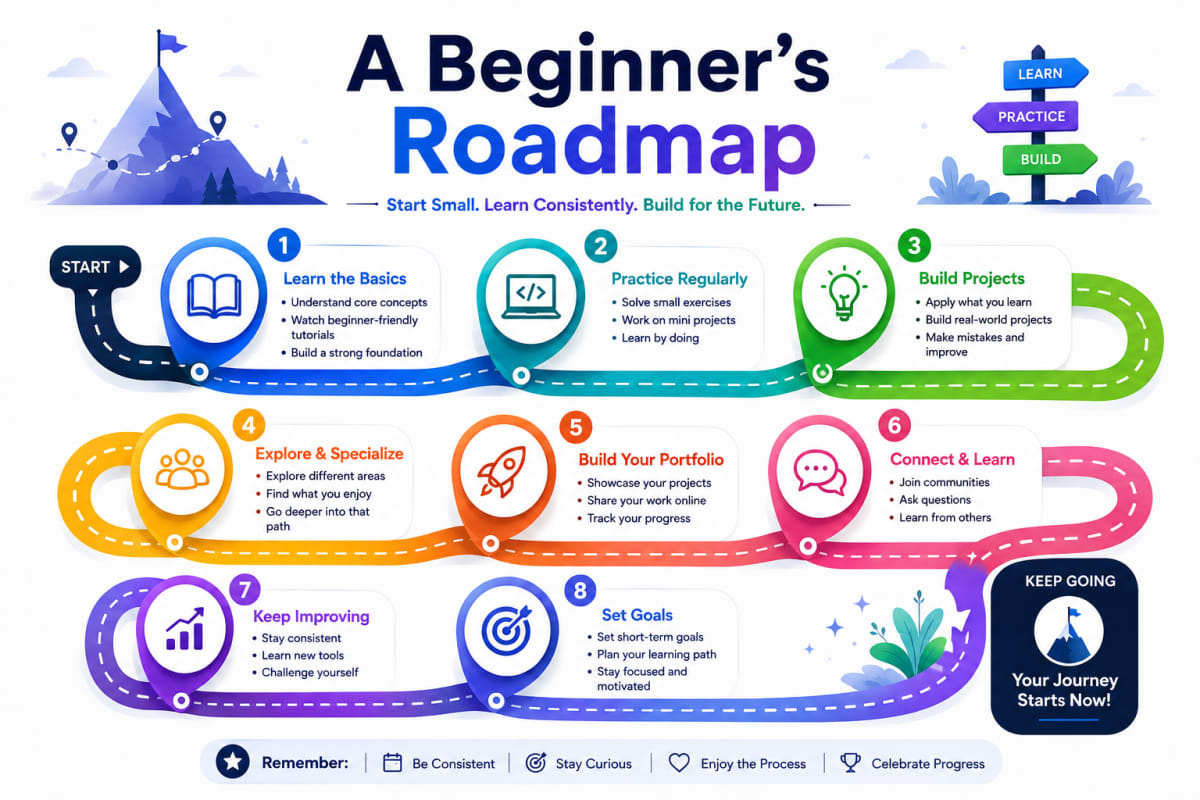
The Beginner's AI Roadmap
Phase 1: Get Comfortable With a General Assistant
Start with a general-purpose AI chat assistant. Use it as a thinking partner. Ask it to explain confusing topics in plain language, brainstorm ideas, draft a first version of something, or check your reasoning. The goal of week one is comfort, not output.
Phase 2: Apply It to Your One Real Task Daily
Take the problem you chose earlier and run it through your assistant daily for a week. Notice where AI saves you time and where it falls short. You will quickly develop an instinct for what these tools are good at and where human judgment is still required.
Phase 3: Add One Specialized Tool
Once you trust your judgment, add a tool built for a specific job: an image generator, a meeting transcriber, a writing editor, or a research assistant. Directories that catalog AI tools by category are useful here. Pick one tool, learn it well, and only then consider adding another.
Phase 4: Build a Simple Workflow
Now connect the pieces. A workflow might be: record a meeting, get an AI transcript and summary, then ask your assistant to turn the summary into action items. Stringing two or three tools together is where AI starts to feel less like a toy and more like leverage.
Four Habits That Keep You Safe and Effective
As you go, a few habits will keep you on solid ground:
- Verify important facts. AI can sound confident and still be wrong. Treat its output as a draft to check, not a final answer, especially for numbers, names, and legal or medical topics.
- Protect sensitive data. Do not paste passwords, confidential client information, or personal details into tools unless you understand their privacy policy.
- Keep a human in the loop. Use AI to do the heavy lifting, but make the final decision yourself. You are responsible for what goes out under your name.
- Stay curious, not overwhelmed. The field moves fast. You do not need to chase every new release. Master the basics and you can adopt new tools easily.
Frequently Asked Questions
Do I need to know how to code to use AI?
No. The vast majority of today's AI tools are designed for people with no technical background. You interact with them through plain language and simple interfaces. Coding only becomes relevant if you want to build custom applications, which is far beyond what most beginners need.
Are free AI tools good enough to learn on?
Yes. Free versions of popular AI assistants are more than capable for learning the fundamentals and handling everyday tasks. Start free, and only pay for a tool once you hit a clear limit that a paid plan would solve, such as higher usage or a specific feature you need regularly.
How long does it take to get reasonably good with AI?
Most people feel genuinely comfortable within a few weeks of regular use. The skill that takes longest is judgment, knowing when to trust the output and when to push back. That develops naturally the more you use AI on real work rather than test prompts.
The Takeaway
Getting started with AI is less about technology and more about habit. Pick one real problem, learn to prompt well, add tools slowly, and always keep your own judgment in the loop. Do that consistently and within a month you will be using AI more effectively than most people who have been dabbling for a year.
Written by
Co-founder of Tool Directory AI. Tests and reviews the AI tools listed here.